Digital Nomad Workspace Setup: Digital Nomad Workspace Tech: What Works in 2026

What does it actually take to work productively from a café in Chiang Mai, a co-working space in Lisbon, or a rental apartment in Medellín — without hauling 30 pounds of gear through every airport?
That question has a cleaner answer in 2026 than it did two years ago. Hardware has gotten lighter, eSIM coverage has expanded across regions that were effectively offline for mobile workers, and the nomad accessories market has matured past the gimmick phase. But the wrong choices still cost you — in missed deadlines, neck injuries, dead batteries, and hotel WiFi that drops during client calls. Getting specific about what you actually need, and what you don’t, is the whole game.
The Laptop Choice That Determines Everything Else
Most digital nomad tech decisions are reversible. Your laptop choice typically isn’t — not for 12 to 24 months, and not without real cost. Three variables generally dominate: battery life, weight, and repairability in foreign countries.
Battery life is your primary constraint
Outlets are never where you need them. Cafés pull plugs when they need the chairs. Airport gates share 6 outlets among 80 travelers. A laptop that claims “up to 10 hours” but delivers 6 under real workloads becomes a serious problem within your first week on the road.
The Apple MacBook Air M3 13-inch ($1,099) consistently delivers 15 to 17 hours of real-world use across web work, writing, and video calls. The M3 chip’s efficiency under light and medium workloads is, as of mid-2026, still difficult to match at this price point. For Windows users, the Lenovo ThinkPad X1 Carbon Gen 12 (~$1,500) weighs 1.12kg with a spill-resistant keyboard and solid 8 to 10-hour battery under normal workloads. The keyboard quality is notably better than most competitors at this price — which matters considerably when you’re typing 5 to 8 hours a day in noisy environments.
Weight versus performance: where most nomads miscalculate
A 15-inch powerhouse laptop sounds appealing until you’re carrying it through a 6-hour layover in Dubai. The majority of nomads doing design work, writing, software development, or video calls do not need the GPU or screen real estate they believe they need before their first trip. The 13 to 14-inch range is generally the practical sweet spot for full-time travel.
The LG Gram 14 (2026 model, ~$1,299) weighs under 1kg and passes MIL-SPEC durability testing — the lightest credible option in this class. For video editors and 3D designers, the MacBook Pro 14-inch M3 Pro (~$1,999) is heavier at 1.6kg but typically eliminates the need for cloud render subscriptions, which can offset its cost premium within a few months of heavy use.
Repairability abroad matters more than most people plan for
If your screen cracks in Hanoi, Apple has authorized service centers in major Vietnamese cities. ThinkPads are repairable across most of Asia and Europe through Lenovo’s international service network. A boutique ultrabook from a lesser-known brand may leave you without repair options for weeks. Favor manufacturers with broad international service coverage if you plan to stay in any region longer than a few weeks at a time.
Connectivity Options Compared: An Honest Look at What Keeps You Online
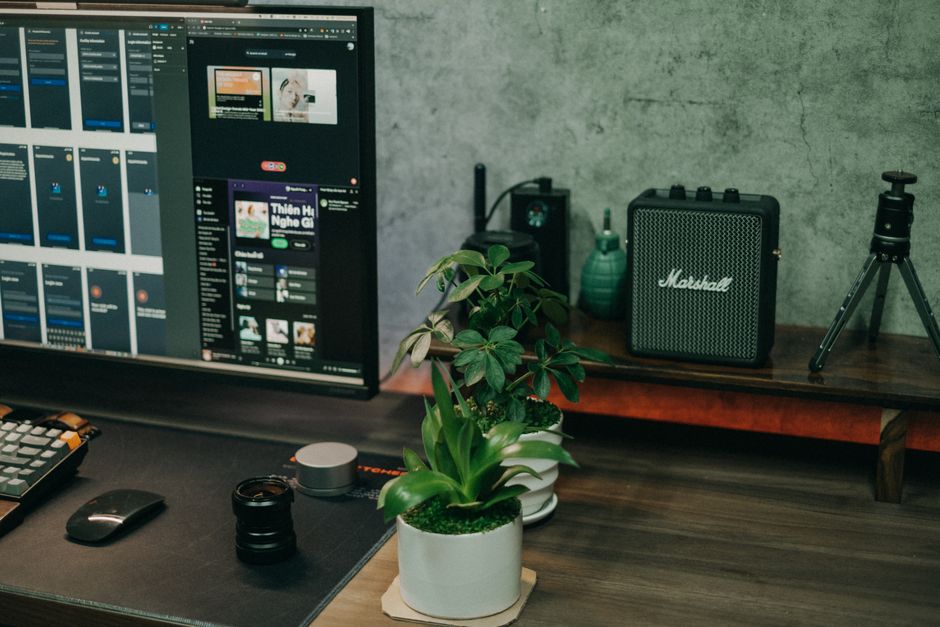
Hotel WiFi has improved in higher-end properties. It remains unreliable for professional video calls, large file transfers, or anything latency-sensitive in budget and mid-range accommodation. A backup connectivity strategy is not optional for nomads who bill by the hour.
| Option | Monthly Cost | Coverage | Best For | Main Limitation |
|---|---|---|---|---|
| Airalo eSIM | $5–$20 per country | 190+ countries | Country hopping, short stays | Data only — no calls or SMS |
| Google Fi Flexible | $25/mo + $10/GB | 200+ countries | Light data users, occasional travel | Expensive for heavy usage |
| T-Mobile Magenta | $86/mo single line | 215+ countries (throttled abroad) | Keeping a US number for clients | Full speed only in the US |
| Local SIM card | $5–$30 per country | Full local network speed | Stays of 2+ weeks in one place | Requires unlocked phone, setup time |
| Starlink Mini | $150/mo + $599 device | Anywhere with a clear sky view | Remote areas with no cell coverage | 1.1kg device, requires unobstructed sky |
For most city-based nomads, Airalo combined with a local SIM in longer-stay countries is the most cost-effective connectivity stack. Airalo’s app lets you buy eSIMs before landing and activate on arrival — no hunting for SIM card shops at midnight after a long flight. If you need a consistent US phone number for client calls or bank two-factor verification, layering Google Fi or T-Mobile Magenta under an Airalo data eSIM covers both needs on any dual-SIM phone.
Starlink Mini changed the calculus for nomads working from truly remote locations — mountain towns, island retreats, rural co-living spaces. The 100 to 200 Mbps speeds it typically delivers in tested locations outperform most urban café WiFi. It is, however, overkill for anyone spending most of their time in cities with reliable LTE or 5G coverage.
Why a Laptop Stand Is Non-Negotiable
Neck and upper back pain are the most commonly reported physical complaints among full-time laptop workers, and the cause is almost always the same: prolonged use with the screen at desk height. A portable laptop stand raises your display to eye level. Add an external keyboard and mouse and your posture resets to something sustainable for multi-hour sessions. The complete ergonomic kit costs under $150 and prevents the kind of accumulated physical damage that forces career breaks. For anyone working more than 5 hours a day on a laptop, this is not optional equipment — it’s the cheapest productivity investment on this list.
Power: How to Stop Running Out of It Mid-Session

Battery anxiety — the low-grade stress of watching a charge percentage drop during a deadline — is real, predictable, and correctable with the right gear at the right price.
How big a power bank do you actually need?
For laptop charging, you need at minimum 100W PD (Power Delivery) output and 20,000mAh capacity. The Anker 737 Power Bank (~$100) hits 24,000mAh with 140W output and charges the MacBook Air M3 from 20% to full in roughly 90 minutes. It charges two devices simultaneously and weighs 0.64kg — meaningful extra weight, but it provides a full additional workday of laptop power. For phone-only backup, the Anker PowerCore Slim 10K (~$22) slips into a jacket pocket and covers 2 to 3 full phone charges without the added bulk.
Are universal travel adapters actually reliable?
Most nomads buy a cheap universal adapter early and regret it. The failure mode is consistent: loose plug connections interrupt charging mid-session, and some cheap models don’t handle grounded European outlets correctly. The Zendure Passport Pro (~$60) supports 200+ country plug types, accepts grounded European plugs, and includes USB-A and USB-C ports. It costs more than a $12 generic version, but it doesn’t fail in ways that interrupt a client presentation.
Is a portable monitor worth carrying?
The ASUS ZenScreen MB16QHQ (~$250) weighs 780g and connects via a single USB-C cable, adding a 16-inch QHD display to any laptop. For nomads staying in one location for 3 weeks or longer, the dual-screen productivity gain typically justifies the weight. For those moving every few days, it generally doesn’t — and most slow-travel co-working spaces have external monitors available anyway.
Setup Mistakes That Cut Into Real Working Hours
- Treating hotel WiFi as reliable without testing it first. Run a speed check on arrival using Fast.com or Speedtest.net. Under 20 Mbps download or over 100ms latency means you switch to mobile data before starting calls — not during them, when the damage is already done.
- Ignoring charger voltage compatibility before departure. Most modern laptop chargers handle 100–240V automatically. Some budget models only support 110–120V. Read the voltage label on your power brick before you travel. Plugging a 110V-only charger into a 220V outlet without a voltage converter will damage or destroy it.
- Not configuring a VPN before entering countries with restricted internet. In several countries across Asia and the Middle East, standard work tools — video conferencing platforms, certain collaboration software, and specific email services — are blocked or heavily throttled. Configure and test a VPN before landing, not after you’ve already lost access to your tools.
- Over-packing peripherals out of pre-trip anxiety. Full-size keyboards, large external hard drives, and desktop-grade docking stations feel essential before the first trip. By week two, they’re dead weight. The lightest functional setup that handles your actual daily tasks is almost always the correct one for daily carry.
- No offline backup strategy for active project files. Cloud sync depends on internet. When connectivity is unreliable, sync jobs fail silently or create version conflicts. Keep local copies of active work on a portable drive and sync to cloud only when you have a solid connection. Losing a day of work to a failed sync during a power cut is preventable and common.
Budget Breakdown by How You Actually Work

The right investment level depends on your work type and how frequently you move. These are realistic starting points based on what most nomads in each profile end up carrying within their first six months.
| Profile | Priority | Core Gear | Estimated Setup Cost |
|---|---|---|---|
| Slow traveler (1–3 month stays) | Power, screen space, ergonomics | MacBook Air M3, laptop stand, external keyboard, Anker 737, local SIM | $1,400–$1,600 |
| Fast mover (weekly city changes) | Weight, battery, minimal daily carry | LG Gram 14, compact foldable stand, travel mouse, Airalo eSIM stack | $1,500–$1,700 |
| Creative pro (video, 3D, design) | Processing power, color-accurate screen | MacBook Pro 14 M3 Pro, Samsung T9 1TB SSD (~$90), CalDigit TS4 dock at base | $2,500–$3,000 |
The most common pattern across all three profiles is over-investing in hardware and under-investing in connectivity. A quality local SIM or Airalo regional data package costs $15 to $30 and eliminates the single most disruptive nomad problem: lost internet access during work hours. No laptop, however capable, compensates for that.
The hardware market will keep improving. Battery life will extend further, weights will drop, and eSIM coverage will continue reaching locations that were effectively offline for mobile workers just two years ago. What’s unlikely to change is the core logic: a setup that works reliably in a $25 hostel room and a $200 business hotel is worth more than one optimized for only one of those environments.