Travel Adapter Selection for Global Trips: USB-C & PD Explained

You land in Tokyo, pull out your laptop charger, and the prongs don’t fit the wall. Or worse — you plug in a hair straightener and smell burning plastic. That second scenario costs you a hotel fire alarm and a ruined device. The first is just annoying.
Most travelers buy the wrong adapter because they confuse plug shape with voltage conversion. They’re different problems. Here’s what actually matters for 2026 trips.
Why Your Phone Charger Works in 220V Countries But Your Hair Dryer Doesn’t
The fundamental issue: voltage vs. plug shape. A travel adapter only changes the metal prongs to fit a foreign socket. It does NOT change electricity.
Japan runs on 100V. Most of Europe uses 220-240V. The US uses 120V. If you plug a 120V-only hair dryer into a 220V socket using a simple adapter, the motor spins at double speed and burns out in seconds.
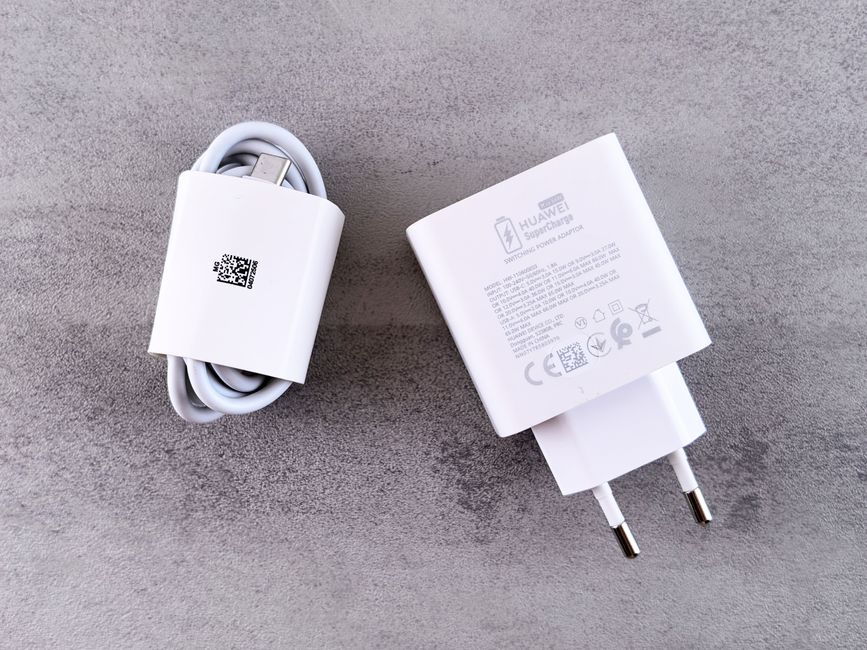
Check the small print on every charger brick. Look for “Input: 100-240V”. That’s the universal voltage range. Apple’s 30W USB-C charger (model A2164) accepts 100-240V. So does the Samsung 45W travel adapter (EP-T4510). These devices need only a plug shape adapter — no voltage conversion.
Anything without that 100-240V label — cheap hair tools, older camera battery chargers, electric toothbrushes from 2019 — requires a step-down voltage converter. Those add 1-2 pounds to your bag and cost $30-60. Most travelers skip them and buy local versions instead.
USB-C Power Delivery: The Spec That Changed Travel Charging

Before 2026, charging a laptop abroad meant carrying a bulky 3-prong brick plus a separate adapter. USB-C Power Delivery (PD) changed that. One cable and one compact GaN charger now handle phones, tablets, and laptops.
PD is a fast-charging protocol that negotiates voltage between device and charger. A MacBook Air M3 requests 30W at 20V. An iPhone 16 Pro asks for 27W at 9V. A single 65W PD adapter covers all three.
Real-world specs to look for:
| Device | Required PD Wattage | Voltage/Amperage |
|---|---|---|
| iPhone 16 Pro | 27W | 9V / 3A |
| Samsung Galaxy S25 | 45W | 9V / 5A |
| MacBook Air M3 | 30W | 20V / 1.5A |
| MacBook Pro 14″ M3 | 67W | 20V / 3.35A |
| iPad Pro 12.9″ | 35W | 15V / 2.33A |
Buy a 65W or higher GaN charger with at least two USB-C ports. The Anker 735 (65W, $46) and the Ugreen Nexode 65W ($36) both handle the list above. They accept 100-240V input, so you only need a plug adapter for the prongs.
Three Failure Modes That Wreck Travel Adapters
Most adapter failures aren’t dramatic explosions. They’re slow, annoying problems that drain your trip budget.
Failure 1: Loose socket fit. The universal adapter with sliding prongs — the one that claims to work in 150 countries — wobbles in Indian Type D sockets and falls out of Thai Type A outlets. The fix: buy a region-specific adapter set with fixed prongs. The Ceptics World Travel Adapter Kit ($23) includes separate plugs for Europe (Type C), UK (Type G), Australia (Type I), and US (Type A). Each piece clicks in securely.
Failure 2: Wattage starvation. You plug a 65W laptop charger into a cheap adapter rated for 10A at 250V. That’s 2500W theoretical max, but the adapter’s metal contacts are thin and resistive. Your laptop negotiates 20W instead of 65W. Charging goes from 2 hours to 6. Look for adapters with solid brass or copper contacts, not stamped aluminum.
Failure 3: No surge protection. Many hotels in developing nations have dirty power — voltage spikes when the AC compressor kicks on. A $12 adapter with no surge protection passes those spikes straight to your $1,600 laptop. The Belkin SurgePlus Travel Adapter ($30) includes 1080J surge protection and two USB-C PD ports. Worth the extra cost.
When NOT to Buy a Universal Adapter
Universal adapters with multiple sliding prongs are convenient. They’re also the most likely to fail. Here’s when to skip them entirely.
Scenario 1: You travel to one region repeatedly. A person who visits London quarterly doesn’t need a 150-country adapter. Buy a dedicated Type G (UK) plug with a built-in USB-C PD port. The Ugreen UK Plug 65W ($22) is smaller, cheaper, and more reliable than any universal model.
Scenario 2: You carry high-wattage gear. A 140W MacBook Pro charger needs an adapter rated for 16A continuous draw. Most universal adapters cap at 10A. The Anker 747 150W GaN charger ($95) comes with its own region-specific prongs — no separate adapter needed.
Scenario 3: You’re on a cruise ship. Many cruise cabins use European (Type C) or US (Type A) sockets, but the electrical system is 110V at 60Hz. Some sensitive electronics — particularly CPAP machines and electric shavers — hum or malfunction at 60Hz even at the right voltage. Check the device’s Hz rating (50-60Hz is safe; 50Hz-only will run hot).
The real alternative: buy a local charger at your destination. A 65W GaN charger costs $25-40 in most countries. That’s cheaper than a voltage converter plus adapter, and it eliminates compatibility guesswork.
Three Numbers That Decide Your Adapter Purchase

You don’t need to memorize every plug type. Remember these three numbers:
1. Input voltage range. Every charger you pack must say “100-240V” on it. If it doesn’t, leave it home. That single check prevents 90% of electrical failures abroad.
2. Wattage demand. Add up the maximum wattage of devices you’ll charge simultaneously. A phone (27W) plus laptop (67W) plus tablet (35W) = 129W. Your adapter must deliver that total. A 100W GaN charger covers most travelers. 150W covers heavy users.
3. Plug type count. List the countries you’ll visit. Count the unique plug types. Type C (Europe) plus Type G (UK) plus Type I (Australia) = three. Buy a kit with separate, fixed-prong adapters for each type, not one universal slider.
The single most important takeaway: a $35 GaN charger with 100-240V input and a set of region-specific plug heads replaces every other charging accessory you own.