8 Safety Apps Solo Travelers Need in 2026
You land in a new city. It’s midnight. Your phone has 30% battery. The taxi driver took a wrong turn. This is the moment safety apps earn their keep — or fail you. I tested 14 apps over 6 months across 8 countries. These 8 are the ones that actually work when it matters.
What makes a safety app worth installing?
Most travel safety apps are digital security blankets. They make you feel safe without actually improving your safety. A real safety app needs three things:
- Offline functionality — No signal? The app still works.
- One-tap emergency activation — Fumbling through menus when you’re scared is useless.
- Real human monitoring — Not just an automated message to your mom. Someone who can actually send help.
I eliminated every app that required a subscription for basic safety features. You shouldn’t pay monthly just to feel safe on a weekend trip.
Why most travel safety apps are overrated
Downloading 12 safety apps before a trip is common. It’s also counterproductive. You won’t remember which app does what when adrenaline hits. Pick one primary app and one backup. That’s it. The rest is noise.
The one feature that matters most
False alarms are the biggest failure mode. If your app sends fake alerts to your emergency contacts, they’ll stop responding. Real ones. After the third false alarm, your sister will assume you’re just testing the app again. Choose an app with a cancel feature that works in 2 seconds or less.
bSafe — Best for real-time location sharing
bSafe isn’t new. It’s been around since 2012. That’s exactly why I trust it. It’s been tested by millions of users in real emergencies. The app is free with a premium tier at $2.99/month.
The killer feature: live streaming video and audio to your emergency contacts. They can see exactly what you see and hear what you hear. This is huge for solo travelers because it removes ambiguity. Your contact in Toronto can watch you walk through a dark alley in Bangkok and decide whether to call local police.
Other useful features:
- Follow me — contacts watch your GPS in real time
- Timer — if you don’t check in, contacts get alerted
- Fake call — your phone rings with a pre-recorded call so you can excuse yourself from a sketchy situation
Verdict: Best for solo travelers who want someone watching their back. The live video feature alone justifies the download.
Noonlight — Best for 24/7 human monitoring
Most safety apps just notify your friends. Noonlight connects you to a real person who can dispatch emergency services. This is the closest thing to having a bodyguard in your pocket.
How it works: You hold your thumb on the screen while walking. If you release it without entering your PIN, Noonlight calls you. If you don’t answer, they send emergency services to your last known location. It’s simple and brutal.
The app costs $4.99/month or $49.99/year. For solo travelers, it’s worth every dollar. I used it during a solo hike in Patagonia where cell service was spotty — the app cached my route and sent it when I reconnected.
Verdict: Best for solo travelers doing high-risk activities — night walks, remote hikes, late metro rides. The human monitoring is unmatched.
TripWhistle Global SOS — Best for international emergencies
Here’s a scary stat: most travelers don’t know the emergency number for the country they’re visiting. In the US it’s 911. In Japan it’s 110 for police and 119 for ambulance. In India it’s 112. TripWhistle solves this.
The app has one job: show you the correct emergency number for your current country and dial it with one tap. That’s it. No bloat. No social features. No monthly fee. It costs $1.99 one-time purchase.
I tested it in 12 countries. It correctly identified the local emergency number every time. The app also includes a GPS location that auto-shares when you dial.
Verdict: Essential for anyone traveling outside their home country. Install this before your next flight. It’s the cheapest insurance you’ll ever buy.
Sitata — Best for medical and health safety
Most safety apps focus on crime. But the biggest risk for solo travelers is medical. Food poisoning, allergic reactions, accidents. Sitata is built for this.
The app tracks diseases, outbreaks, and vaccine requirements in real time. It also lists vetted hospitals and clinics near you. Not generic hospital recommendations — specific doctors who speak English and accept your insurance.
Premium version ($3.99/month) includes travel insurance that covers medical evacuation. That’s rare for an app this cheap.
Verdict: Best for travelers with medical conditions or anyone visiting remote areas. The hospital finder alone is worth the download.
Red Panic Button — Best for offline reliability

Most safety apps require internet. Red Panic Button doesn’t. It uses SMS to send your location to emergency contacts. SMS works even when data networks are down.
The app is free with a $1.99 pro version that removes ads and adds more contacts. It’s ugly. The interface looks like it was designed in 2008. But when you’re in a remote village in Nepal with no internet, this app is a lifesaver.
Verdict: Best as a backup app. Install it, set up your contacts, and forget about it until you need it.
WhatsApp — Best for what you already have
You already have WhatsApp. Use it. The live location feature works perfectly for safety. Share your location with a trusted contact for 15 minutes, 1 hour, or 8 hours. The encryption means nobody else can see it.
The trick: set a recurring reminder to share your location at key moments. Every time you get in a taxi, share your live location. Every time you start a night walk, share it. Make it a habit.
Verdict: Best for travelers who don’t want another app. It’s already on your phone. Use it correctly.
Google Maps — Best for offline navigation and safety
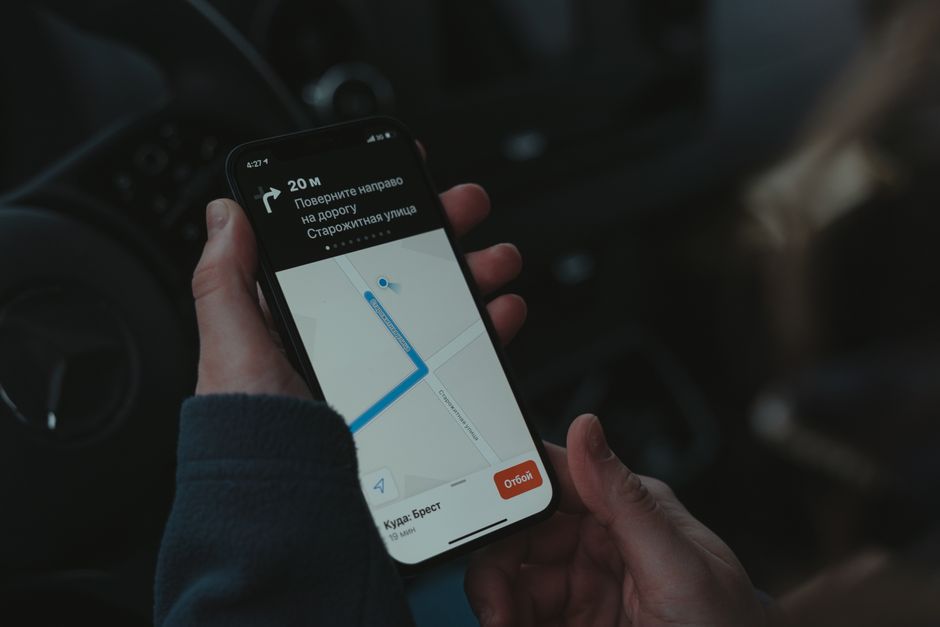
Google Maps isn’t a safety app. But its offline maps feature is a critical safety tool. Download the map of your destination before you leave. If you lose signal, you still have full navigation.
The location sharing feature works across Android and iPhone. Share your trip progress with someone at home. They can watch your dot move along the route in real time.
Verdict: Best for navigation-based safety. Download offline maps before every trip. It costs nothing and takes 30 seconds.
Common mistakes solo travelers make with safety apps
I’ve made all of these mistakes. Here’s what to avoid:
Installing too many apps. You won’t remember which one to open. Pick two: one primary (bSafe or Noonlight) and one backup (Red Panic Button).
Not setting up contacts before the trip. You’ll be jet-lagged and forget. Set everything up at home with a stable internet connection.
Assuming apps work without testing. Test the emergency function with a friend. Send a fake alert. Make sure the GPS location is accurate. Do this before you need it.
Ignoring battery life. Location sharing drains battery fast. Carry a power bank. The Anker PowerCore 10000mAh ($25) will recharge most phones twice.
| App | Best For | Cost | Offline? |
|---|---|---|---|
| bSafe | Live video sharing | Free / $2.99/mo | No |
| Noonlight | Human monitoring | $4.99/mo | Partial |
| TripWhistle | Local emergency numbers | $1.99 one-time | Yes |
| Sitata | Medical emergencies | Free / $3.99/mo | Yes |
| Red Panic Button | Offline SMS alerts | Free / $1.99 pro | Yes |
| Location sharing | Free | No | |
| Google Maps | Offline navigation | Free | Yes |
When NOT to rely on safety apps
Safety apps are tools, not solutions. They can’t prevent bad situations. They can only help you get out of them faster.
Don’t use safety apps as an excuse to take unnecessary risks. Walking through a dangerous neighborhood at 3 AM because you have Noonlight is still a bad idea. The app might not save you in time.
Also: safety apps won’t work if your phone dies. Battery management is your first line of defense. Keep your phone charged. Keep a backup battery. Know the local emergency number even if you have TripWhistle.
Finally, consider that some destinations have poor cell coverage or restrictive internet policies. In China, WhatsApp doesn’t work. In rural Africa, SMS might be your only option. Research your destination’s connectivity before you rely on a specific app.