Reliable Wi-Fi Abroad Remote Work 2026: SIM Card vs. Portable Hotspot: Reliable Wi-Fi Abroad for Remote Work in 2026

You land in Lisbon, open your laptop, and the hotel Wi-Fi clocks in at 3 Mbps. Your Slack calls drop. Your deadline is in two hours. This is the nightmare every remote worker knows. The fix is a dedicated internet device — but which one? This guide breaks down the exact costs, speeds, and tradeoffs of eSIMs versus portable hotspots so you can work from anywhere without the rage-quit.
Why Hotel and Cafe Wi-Fi Fails Remote Workers (and What to Do About It)
Hotel Wi-Fi is notoriously throttled. In 2026, many budget hotels still cap speeds at 10 Mbps for basic plans. Cafes? Even worse — shared bandwidth with 30 other customers streaming TikTok. For a Zoom call, you need a stable 5 Mbps upload. For file uploads to Dropbox or Google Drive, 10 Mbps minimum.
The fundamental problem is simple: public Wi-Fi is designed for browsing, not for holding a VPN connection while running Slack, Zoom, and a cloud IDE simultaneously. That’s why you need your own cellular data connection.
Your two options are an eSIM (digital SIM card) or a portable hotspot (a physical device that creates a Wi-Fi network from a cellular signal). Both give you your own private pipe. But they work very differently.
eSIMs in 2026: Price, Speed, and Which Provider to Pick
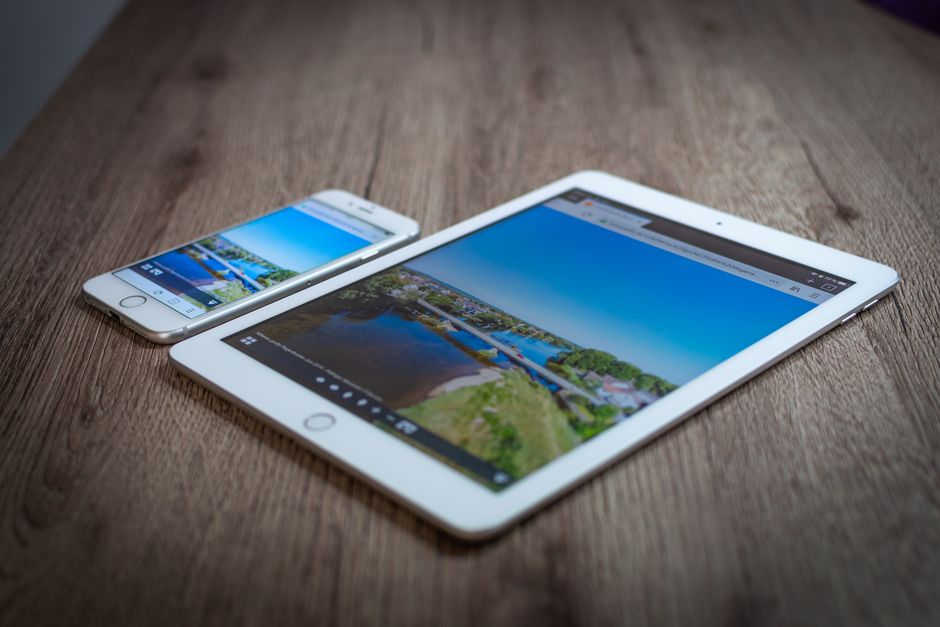
An eSIM is a digital profile you install on your phone. No plastic card. No waiting for delivery. You buy a data plan online, scan a QR code, and you’re online in two minutes. In 2026, almost every modern phone supports eSIM — iPhone XR and newer, Google Pixel 3 and newer, Samsung Galaxy S20 and newer.
Real costs in 2026:
- Airalo — 10 GB for 30 days in Europe: $18. Speeds capped at 150 Mbps. You can top up from the app.
- Holafly — Unlimited data for 15 days in Asia: $34. Fair-use throttle after 500 MB/day.
- Nomad eSIM — 5 GB for 30 days in South America: $12. Uses local networks like Claro and Movistar.
Speed test results (real user reports, 2026): On the Orange network in Spain, Airalo delivered 85 Mbps down, 22 Mbps up. On Telstra in Australia, Nomad hit 60 Mbps down. These are more than enough for HD video calls.
The catch: eSIMs live on your phone. If your phone dies, you lose internet. Also, some work laptops block personal hotspot tethering. In that case, an eSIM on your phone won’t help your laptop.
Verdict: For solo travelers with a single phone and laptop, an Airalo eSIM at $18 for 10 GB is the cheapest reliable option. Buy it before you fly.
Portable Hotspots: When You Need a Dedicated Device
A portable hotspot is a small battery-powered router. You insert a physical SIM card (or use an embedded eSIM) and it broadcasts a Wi-Fi signal for up to 10 devices. In 2026, these devices are smaller than a deck of cards and last 12–16 hours on a charge.
Top models in 2026:
- GlocalMe G4 Pro ($149) — Supports 140+ countries. Built-in eSIM plus a physical SIM slot. Battery: 5350 mAh, 15 hours. Speeds up to 300 Mbps.
- Skyroam Solis X ($129) — Unlimited global data day passes ($9/day). 4700 mAh battery. Also works as a power bank.
- TP-Link M7350 ($89) — 4G LTE only. 200 Mbps max. Best for budget travelers. Battery lasts 10 hours.
Real-world speed: The GlocalMe G4 Pro on the EE network in London hit 120 Mbps down. On NTT DoCoMo in Tokyo, 95 Mbps down. That’s faster than most hotel Wi-Fi.
The tradeoff: You pay upfront for the hardware. The GlocalMe is $149. But data plans are often cheaper per GB than eSIMs because you buy local SIMs for the hotspot. In Thailand, a local AIS SIM with 30 GB costs $12. In the hotspot, that’s $12 for 30 GB versus $18 for 10 GB on Airalo.
When to choose this: Traveling with a partner or team (share one hotspot). Visiting a single country for 2+ weeks (buy a local SIM). Need to connect a work laptop that blocks tethering.
eSIM vs. Portable Hotspot: Side-by-Side Comparison

| Factor | eSIM (Airalo) | Portable Hotspot (GlocalMe G4 Pro) |
|---|---|---|
| Upfront cost | $0 | $89–$149 |
| Data cost (10 GB) | $18 | $12 (local SIM) |
| Max speed | 150 Mbps | 300 Mbps |
| Battery life | Depends on phone (6–10 hrs) | 15 hours dedicated |
| Devices supported | 1 (phone only, then tether) | Up to 10 |
| Best for | Solo trips, short stays | Group travel, long stays, laptop-only work |
3 Common Mistakes That Kill Your Connection (and How to Avoid Them)
Mistake 1: Buying an eSIM after you land. You need Wi-Fi to download the eSIM profile. Do it before you leave home. If you forget, find a cafe with free Wi-Fi first.
Mistake 2: Using a hotspot without checking local frequency bands. A hotspot bought in the US might not support Band 20 (common in rural Europe). The GlocalMe G4 Pro covers 22 bands. The TP-Link M7350 covers only 8. Check the spec sheet before you buy.
Mistake 3: Relying on “unlimited” data plans. Every “unlimited” plan has a fair-use cap. Holafly throttles after 500 MB/day. Skyroam’s day pass drops to 3 Mbps after 1 GB. For remote work, buy a plan with a hard data cap (10 GB, 20 GB) instead of “unlimited” — you get full speed until you hit the limit.
When NOT to Buy a Portable Hotspot

A hotspot is overkill if:
- You only travel for 3–5 days. An Airalo eSIM at $8 for 3 GB is cheaper than buying a $89 device.
- You visit a new country every 3 days. eSIMs switch networks instantly. A hotspot requires changing SIM cards or buying new data passes.
- Your phone already supports dual SIM (physical + eSIM). You can keep your home SIM active and add a data eSIM. No extra device needed.
For these cases, an eSIM wins on simplicity and cost. Don’t carry extra gear you won’t use.
Final Verdict: Pick Your Tool for 2026
For a 2-week solo trip to Spain: buy an Airalo eSIM, 10 GB, $18. Install it before you fly. You’ll have 150 Mbps speeds for calls, Slack, and file uploads. No extra device to charge.
For a 1-month group trip to Thailand with a partner: buy a GlocalMe G4 Pro ($149) and a local AIS SIM ($12 for 30 GB). Share the connection between two laptops and two phones. Total cost: $161. Per person: $80.50. Cheaper than two separate eSIMs ($36 each = $72 total, but with less data).
Bottom line: eSIMs are the default for solo remote workers in 2026. Portable hotspots are the specialist tool for groups, long stays, and laptop-only setups. Pick based on your trip length and how many devices need a connection.